Install the web app for iOSTo use Bitpapa's service, go to bitpapa.com and add the web version of the site to your home screen
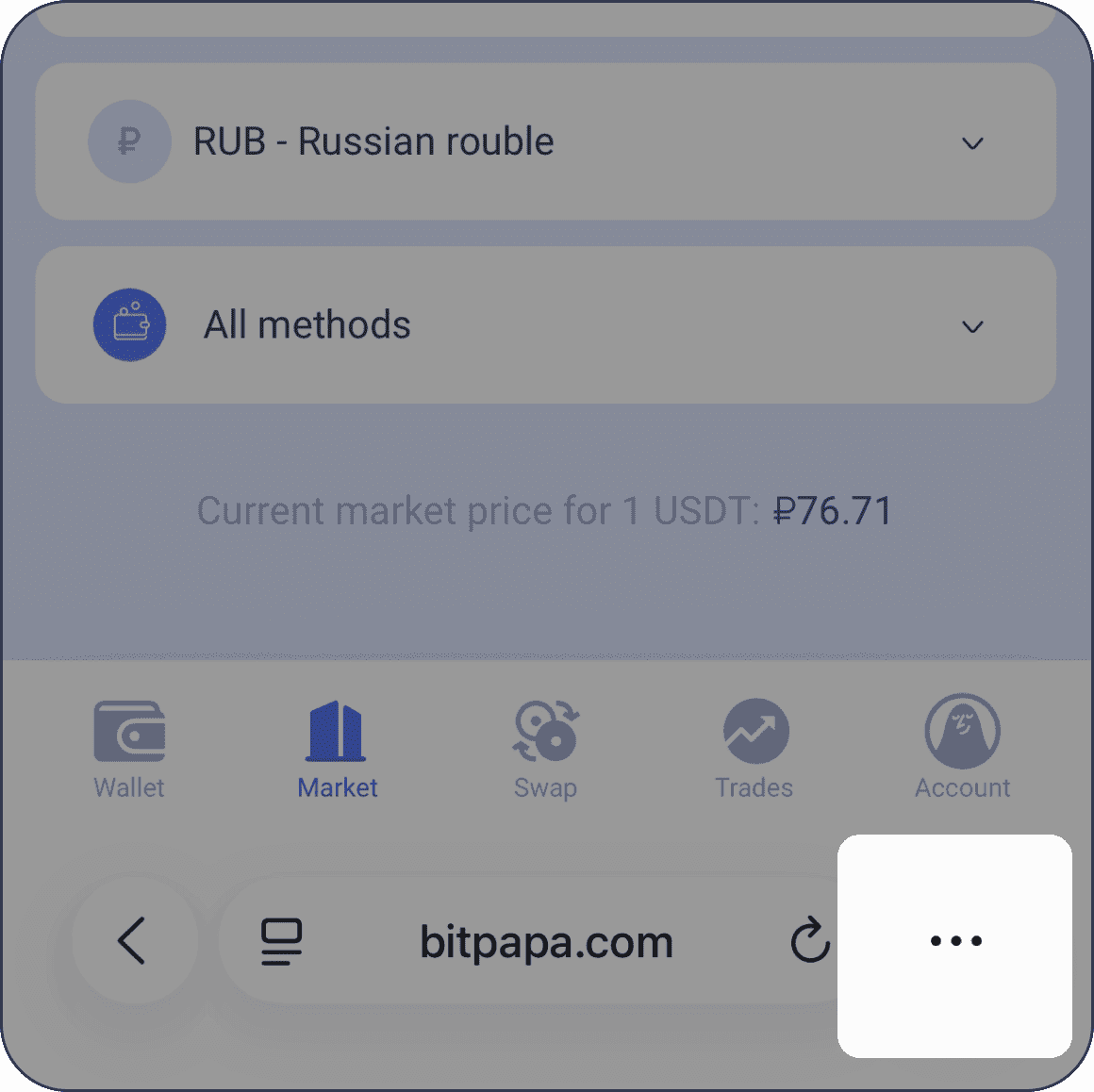
- Tap the More actions icon
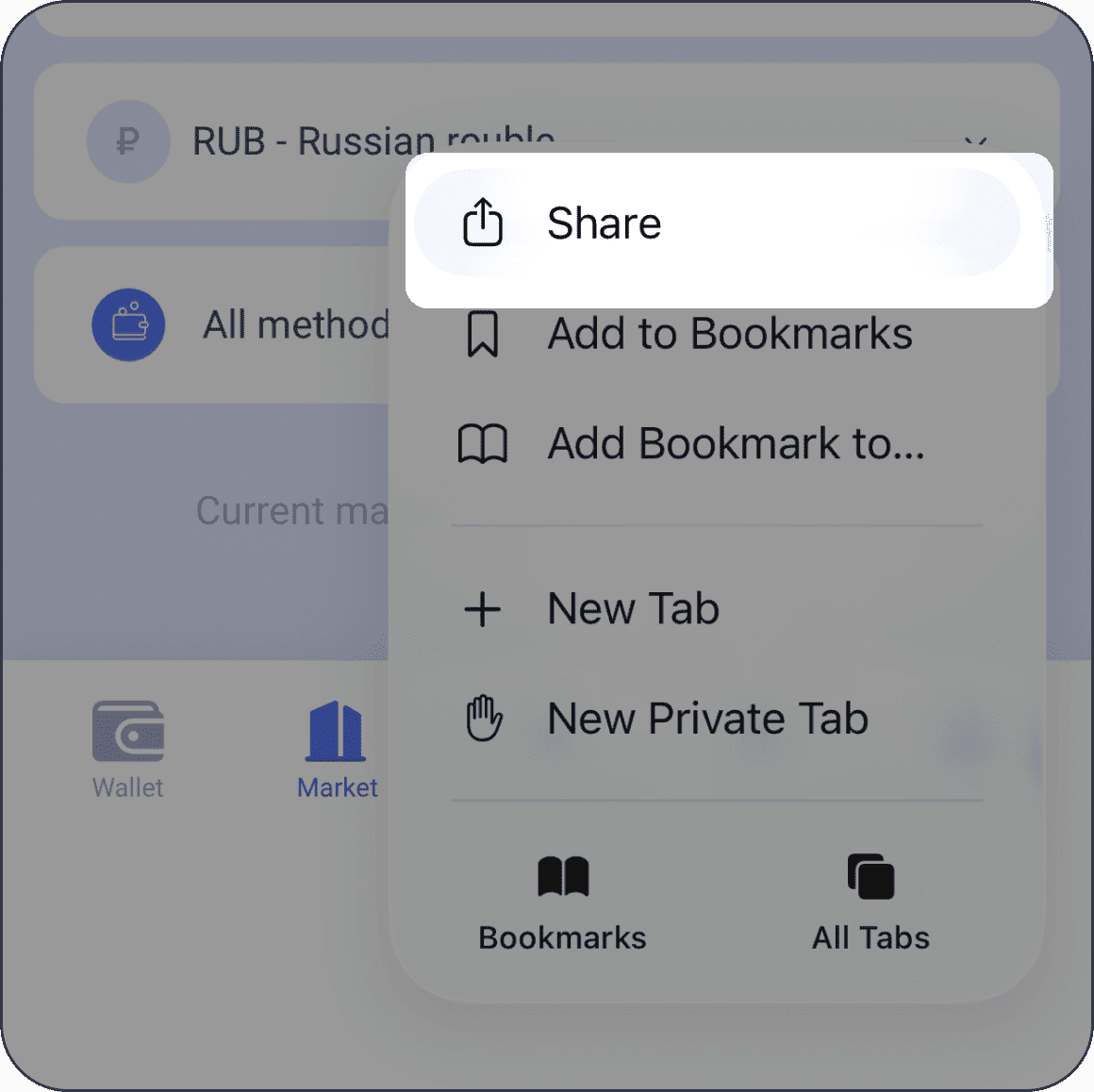
- Tap Share
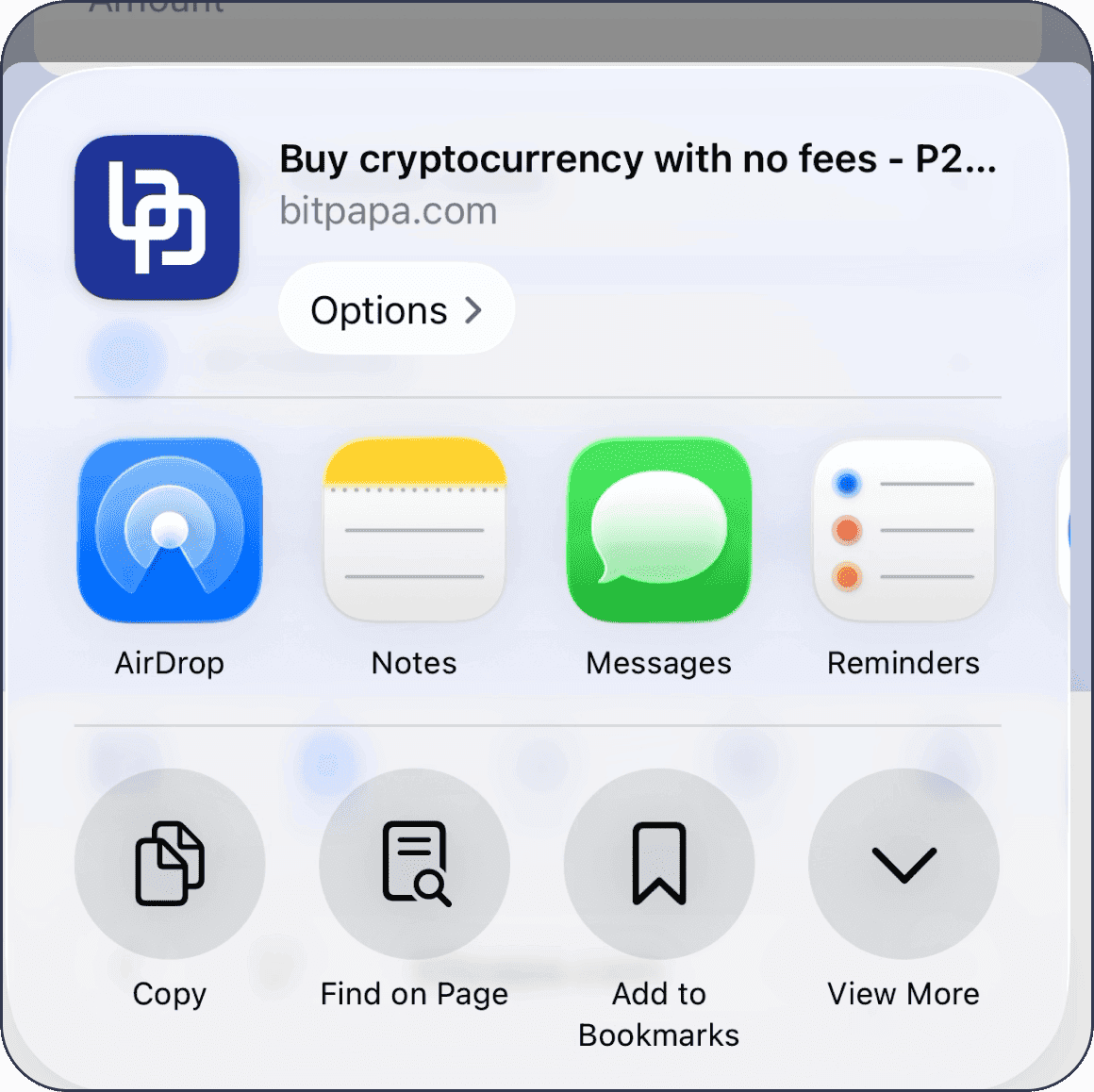
- Tap View more or swipe the pop-up window up
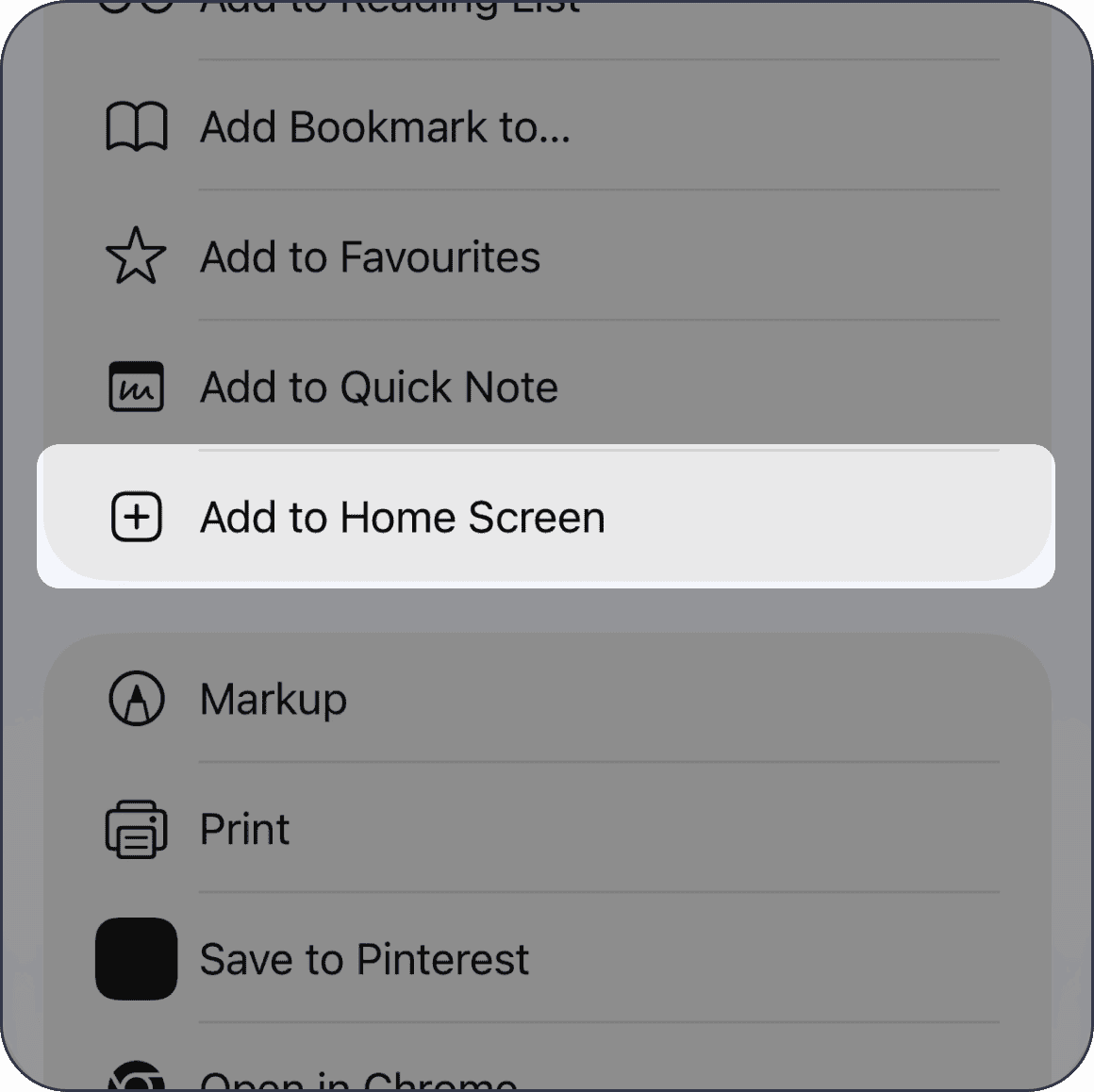
- Tap Add to Home Screen
- Tap Add
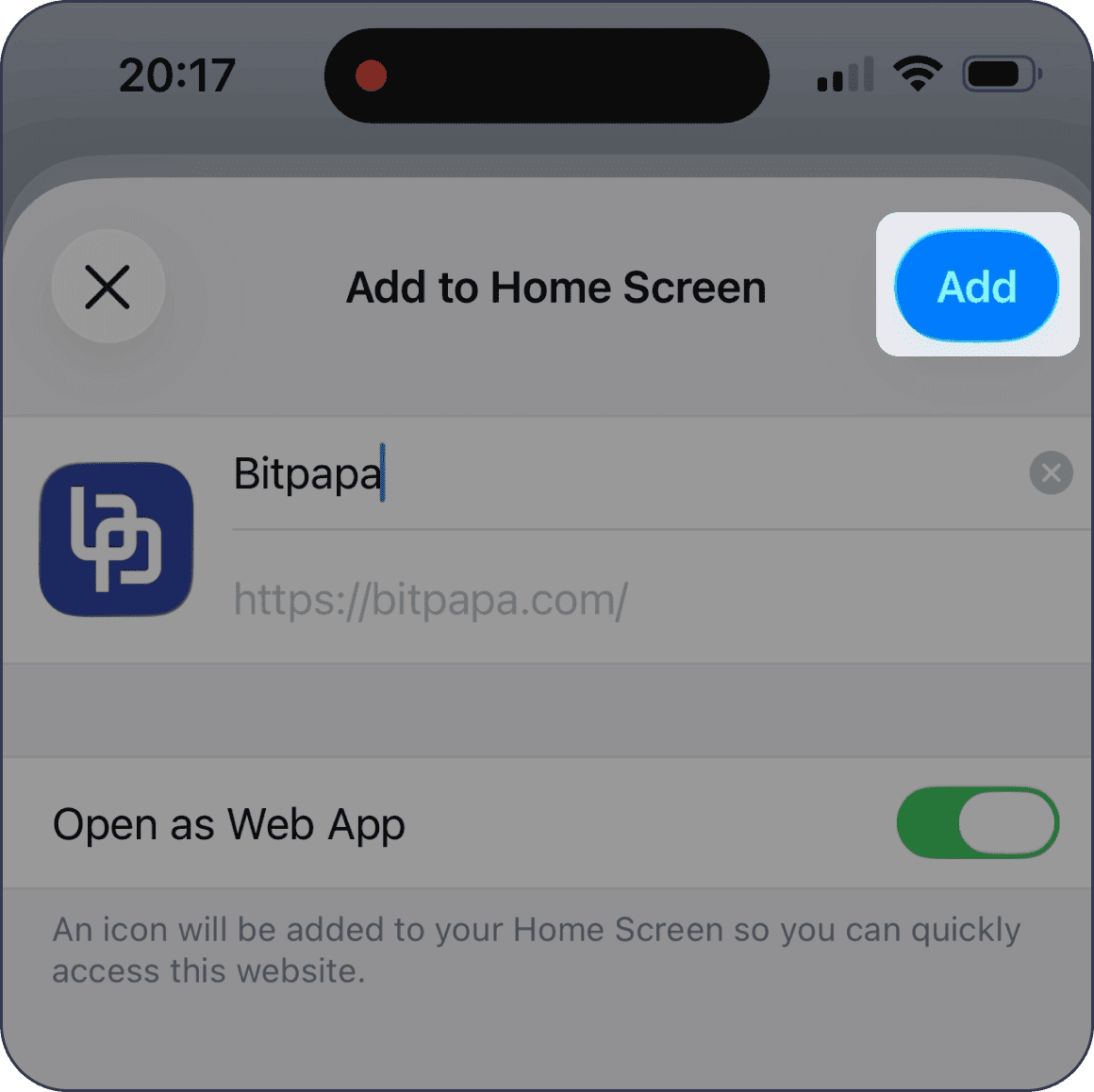
- Watch our video instruction showing how to add the app to your Home Screen
Video instruction
FAQ
The above solution does not work. Why?
Please check that you are opening bitpapa.ru in Safari browser on iPhone. This solution won’t work in other browsers.
I have already had the Bitpapa app installed. Can I continue to use it?
If you already have the Bitpapa mobile app installed on your device, you can usually continue using it to log in to your account and access your wallet and trades as long as the app still works and connects to Bitpapa’s servers.
I don't receive notifications from my phone. Why?
What you have installed is basically just a website added to your home screen, not a full app from the App Store. Because of that, phone notifications may not work or may be limited, which is why you’re not receiving them.